Free
Free

Neon Glow Sneaker Product Prompt

The Prompt:

Use my uploaded shoe product image exactly as it is — do not change, redesign, or blur any part of the shoe. Keep the original colors, shape, stitching, text, and logo 100% intact, with full sharpness and surface texture. Place the shoe floating mid-air in the center of the image 9:16, angled slightly like in a real studio photo. Below the shoe, place soft, flowing white silk fabric with natural folds and diffused shadows, matching the reference image perfectly.In the background, add vertical neon light bars in soft pink, violet, and blue tones, arranged to form a visible 90-degree corner. The lights should softly glow and reflect naturally on both the fabric and the shoe.The lighting must be premium and cinematic: soft specular highlights on the shoe, natural ambient bounce from the neon lights, and gentle blending of light and shadows. Ensure the shoe looks realistic, well-lit, and detailed — ideal for advertising and magazine use.Apply soft, high-end color grading to the whole scene for a luxurious, editorial-quality look. Add slight ambient haze for realism.âž»đŸ”Ž NEGATIVE PROMPT:Do not alter or replace the shoe. Do not add fake textures, cartoon effects, blur, gloss, or artificial glow. Do not change the shape, colors, text, or logo on the shoe. Do not use low-quality rendering or remove product detail.

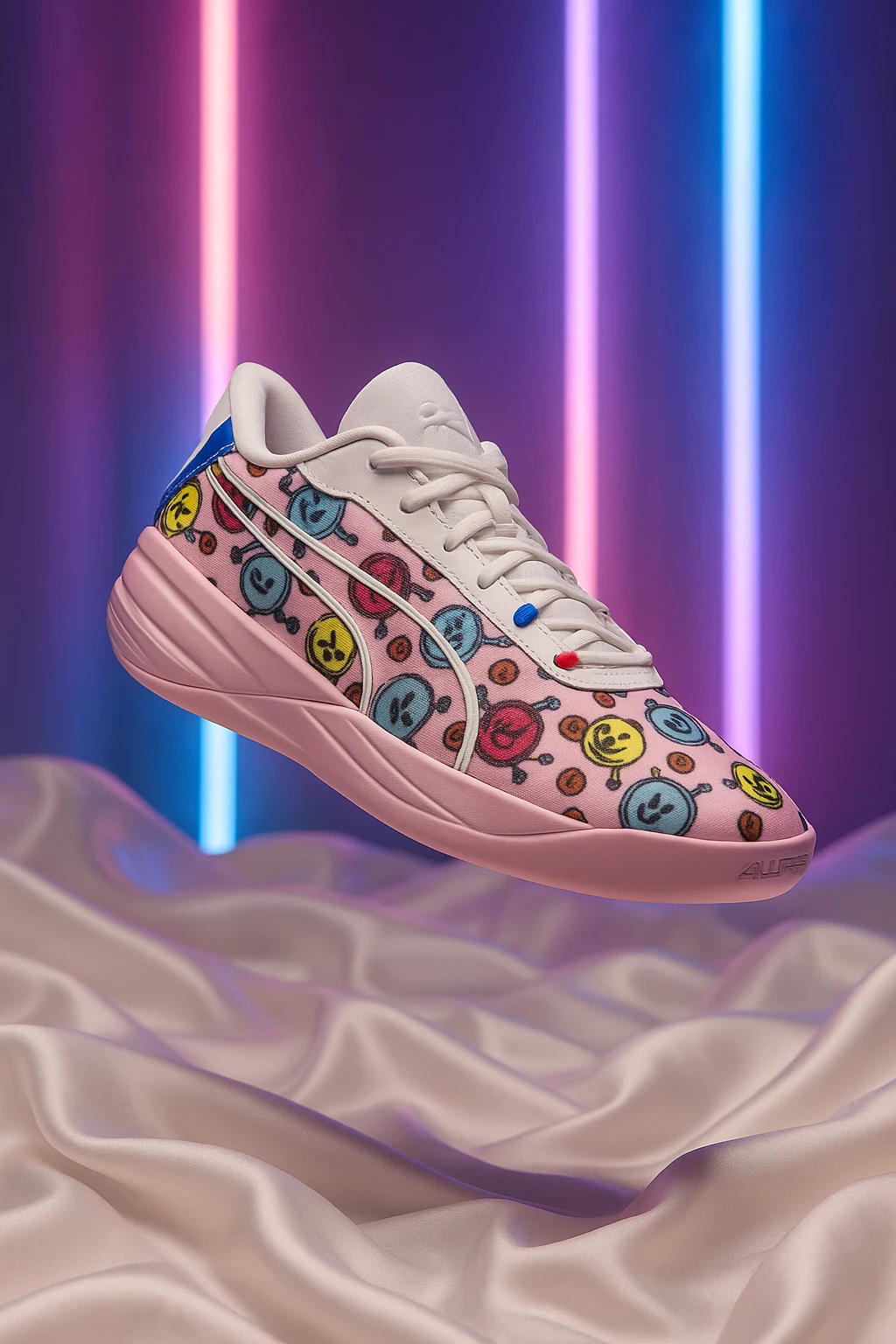
Description:

Create bold, energetic sneaker ads with floating shoes, colorful neon lights, and soft fabric backgrounds. This prompt is ideal for youth-focused brands, fun designs, and eye-catching social media visuals.

Tips when using this prompt in ChatGPT:

For best results: Use a well-lit product photo with no background. Make sure the full product is visible, not cropped, and that logos and text are sharp and easy to read.
⚠ If the result doesn’t look right:
● Try using a higher-resolution image.
● Avoid dark, blurry, or tilted photos.
● Center the product more in your original photo.
● Adjust the prompt’s background tone, lighting, or reflections to better match your vision.
Want to change the size from 1:1 square format?
Just replace the phrase 1:1 square format in the prompt with one of these depending on where you’re posting:
● Instagram Post (Feed): 1:1 portrait format.
● Instagram Story: 9:16 vertical format.
● TikTok Video Cover: 9:16 vertical format.
● Facebook Post: 1.91:1 landscape format.
● Pinterest Pin: 2:3 portrait format.
● Website Banner: 16:9 wide format.

Discover more prompts

Premium
Premium

Amber Ascend

Free
Free

Soft Dimension

Free
Free

Autumn Frame

Premium
Premium

Inferno Splash

Free
Free

Pure Comfort

Premium
Premium

Golden Frame

Free
Free

Clean Studio Setup

Premium
Premium

Midnight Ember

Send us a message
We cannot wait to hear from you!
Hey! This is Iman from Flowfy, drop us a message below and we will get back to you asap :)
Thank you! We have received your message. We are looking into this as we speak and will get back to you as soon as possible.
Oops! Something went wrong while submitting the form.