Free
Free

Premium Chef’s Knife Product Prompt

The Prompt:

[media pointer="file-service://file-L1CSAePWKR8wXRv6XkXn16"]
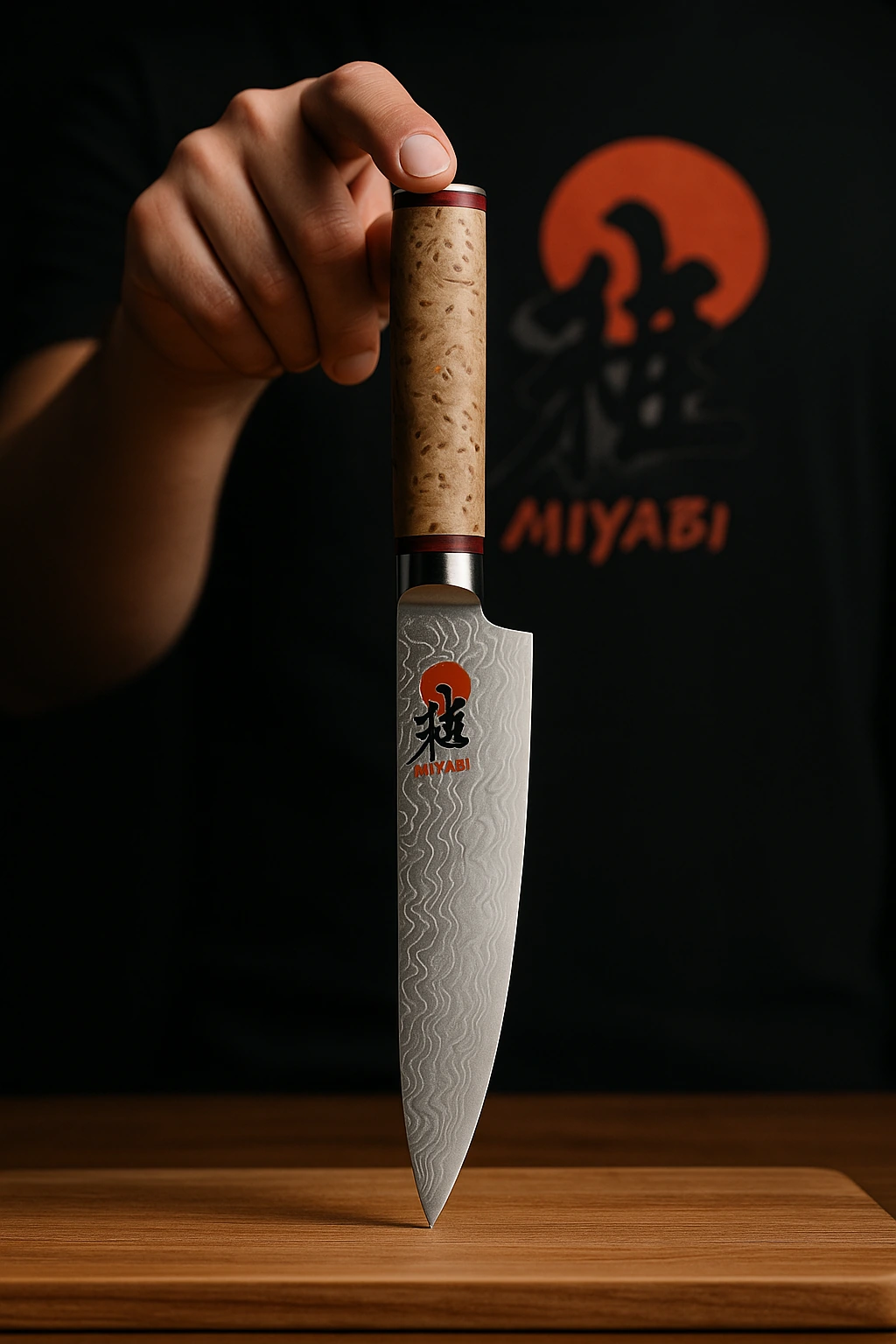
Create an ultra-realistic, premium studio photo of my exact knife as shown in my reference photo. The knife must look exactly the same — same blade shape, same handle texture, same material. If the knife has an engraved logo or text, show it exactly as is — do not change or redesign it. If the knife has no logo or text, do not add any engraving, text or logo anywhere. The knife must stand vertically on a clean wooden cutting board. A real person must stand directly behind the knife, naturally stretching their arm forward to gently press a finger on top of the handle. The arm and shoulder must be behind the knife, not from the side, just like in my inspiration image. The hand and finger should look realistic, natural and proportional. Use dramatic, sharp studio lighting to highlight the blade and handle details. Keep the background dark and clean. The final result must look real, premium and 100% true to my product for advertising and magazine use. Negative prompt: no fake logos, no extra text, no added engraving, no brand name, no side arm, no awkward fingers, no changed knife shape.

Use the second reference image as a precise guide for the text and print on the shirt. The text and graphics must stay exactly as in the close-up image. Do not blur, erase, or change any part of the print. Keep the text sharp, clean, and fully visible, just like in the detail image.

Copy prompt
Prompt Pack ✨

Description:

This prompt helps you create crisp, high-contrast product images for premium knives. Ideal for showing steel texture, handle material, and engraved logos with perfect sharpness and depth. Use it for chef knives, premium kitchen tools, or branded cutlery.

Tips when using this prompt in ChatGPT:

For best results: Use a well-lit product photo with no background. Make sure the full product is visible, not cropped, and that logos and text are sharp and easy to read.
⚠️ If the result doesn’t look right:
● Try using a higher-resolution image.
● Avoid dark, blurry, or tilted photos.
● Center the product more in your original photo.
● Adjust the prompt’s background tone, lighting, or reflections to better match your vision.
Want to change the size from 1:1 square format?
Just replace the phrase 1:1 square format in the prompt with one of these depending on where you’re posting:
● Instagram Post (Feed): 1:1 portrait format.
● Instagram Story: 9:16 vertical format.
● TikTok Video Cover: 9:16 vertical format.
● Facebook Post: 1.91:1 landscape format.
● Pinterest Pin: 2:3 portrait format.
● Website Banner: 16:9 wide format.

Discover more prompts

Premium
Premium

Amber Ascend

Free
Free

Soft Dimension

Free
Free

Autumn Frame

Premium
Premium

Inferno Splash

Free
Free

Pure Comfort

Premium
Premium

Golden Frame

Free
Free

Clean Studio Setup

Premium
Premium

Midnight Ember

Send us a message
We cannot wait to hear from you!
Hey! This is Iman from Flowfy, drop us a message below and we will get back to you asap :)
Thank you! We have received your message. We are looking into this as we speak and will get back to you as soon as possible.
Oops! Something went wrong while submitting the form.